
Support
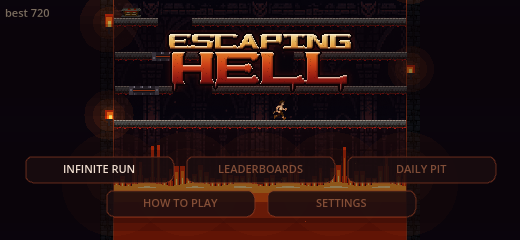
The game
You are climbing out of a pit that is rising faster than you are.
The climber runs on his own and turns around when he hits a wall.
The only thing you control is his jump — when he takes it, and how much of one it is.
Hold to wind a jump up. Let go to take it. He keeps running while the gauge fills,
so a wind-up is really a distance: the ledge you are standing on is what decides
how big a jump you can afford from it. That is the whole game.
How to play
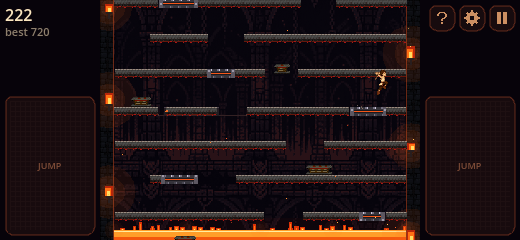
Played in landscape, with a thumb on each side of the pit.
- Jump. Press and hold a JUMP pad to wind one up. A tap barely clears the floor; a longer hold reaches much higher. The bar under the score fills as you hold, and flares when there is nothing left to add.
- Keep climbing. The fire at the bottom is the floor. If it catches you, the run is over.
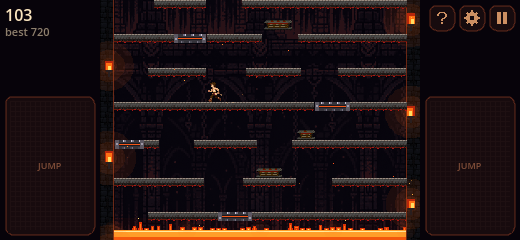
- Read the floor. Stone is just stone. Springs throw you higher than any jump — highest if you press just as they take hold. Belts and sliding slabs carry you sideways, so the landing you aimed at may have moved.
- Pause. The button at the top of the strip freezes the pit. Tap a jump pad to go again, or leave the run from the card.
Modes
Infinite Run
The main climb. Height is score, and there is no top.
The pit gets meaner the longer you last. Your best is kept on the phone.
Daily Pit
One pit a day, the same one for everybody. This one has a top you can reach.
The clock is the score. You can try as many times as you like; the day rolls over at midnight UTC.
Settings
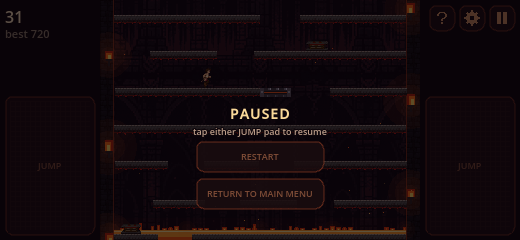
Open Settings from the main menu, or from the gear on the strip during a run.
- Sound and music. Two sliders. They only change this game.
- Left hand / Right hand. Chooses which side the buttons sit on, so the hand you jump with is the one you want.
Leaderboards
Leaderboards on the menu opens a board drawn by the game, backed by Apple Game Center.
- Infinite Run is an all-time top hundred by height.
- Today’s Pit and Yesterday’s Pit rank people by how fast they got out.
Your own row stays pinned at the bottom of the list.
If the board will not load, sign in to Game Center in the iPhone Settings app and try again.
A new personal best that cannot be posted is kept and sent later.
Need help?
Questions, stuck runs, something broken — write to us.
support@slcinteractive.com
That link opens a message with the subject already set to “Support for Escaping Hell”.